SSE Plugin
Tracearr SSE is a free, open-source plugin that adds a Server-Sent Events (SSE) endpoint to Jellyfin and Emby. Connect to it with any HTTP client and events arrive the moment they happen: playback starts and stops, sessions connecting, items added to a library, scheduled tasks running, and a CPU/RAM sample every 6 seconds.
Why a Plugin?
Neither Jellyfin nor Emby gives a third-party app a way to subscribe to playback events over a plain authenticated HTTP connection. The options you’re left with each have a catch:
- Polling
/Sessionsworks everywhere but only sees a session after the fact, on whatever interval you poll. - The Jellyfin webhook plugin pushes to a URL, so your app needs a reachable HTTP server, and item-added notifications go out in batches from a scheduled task rather than per item.
- Jellyfin’s WebSocket API is built for its own clients. Sessions data doesn’t come through when you authenticate with an API key (jellyfin#13479 ).
- Emby webhooks require an Emby Premiere subscription.
The plugin takes a different route: your client opens one outbound HTTP request to the media server, authenticated with a normal API key, and holds it open. No inbound URL to expose, no subscription required, nothing to install on the client side beyond an SSE or HTTP library.
What Tracearr Uses It For
Tracearr works without the plugin: Jellyfin and Emby sessions are detected by polling. With the plugin installed, three things change:
- Sessions appear instantly. Playback and session events push to Tracearr the moment they happen, the same as Plex.
- Server Resources charts work for Jellyfin and Emby. Neither server exposes CPU or RAM through its API; the plugin’s
server.statsevent fills that gap with a sample every 6 seconds. - Library changes are detected as they happen instead of on the next sync.
Tracearr detects the plugin automatically once it’s running, and the server card in Settings → Servers shows the live connection status. Setup takes a few minutes; see Installation.
The plugin streams more than Tracearr currently consumes (scheduled task events, for example). New Tracearr features build on this stream, so installing the plugin now means later releases light up without another server change.
Using It Without Tracearr
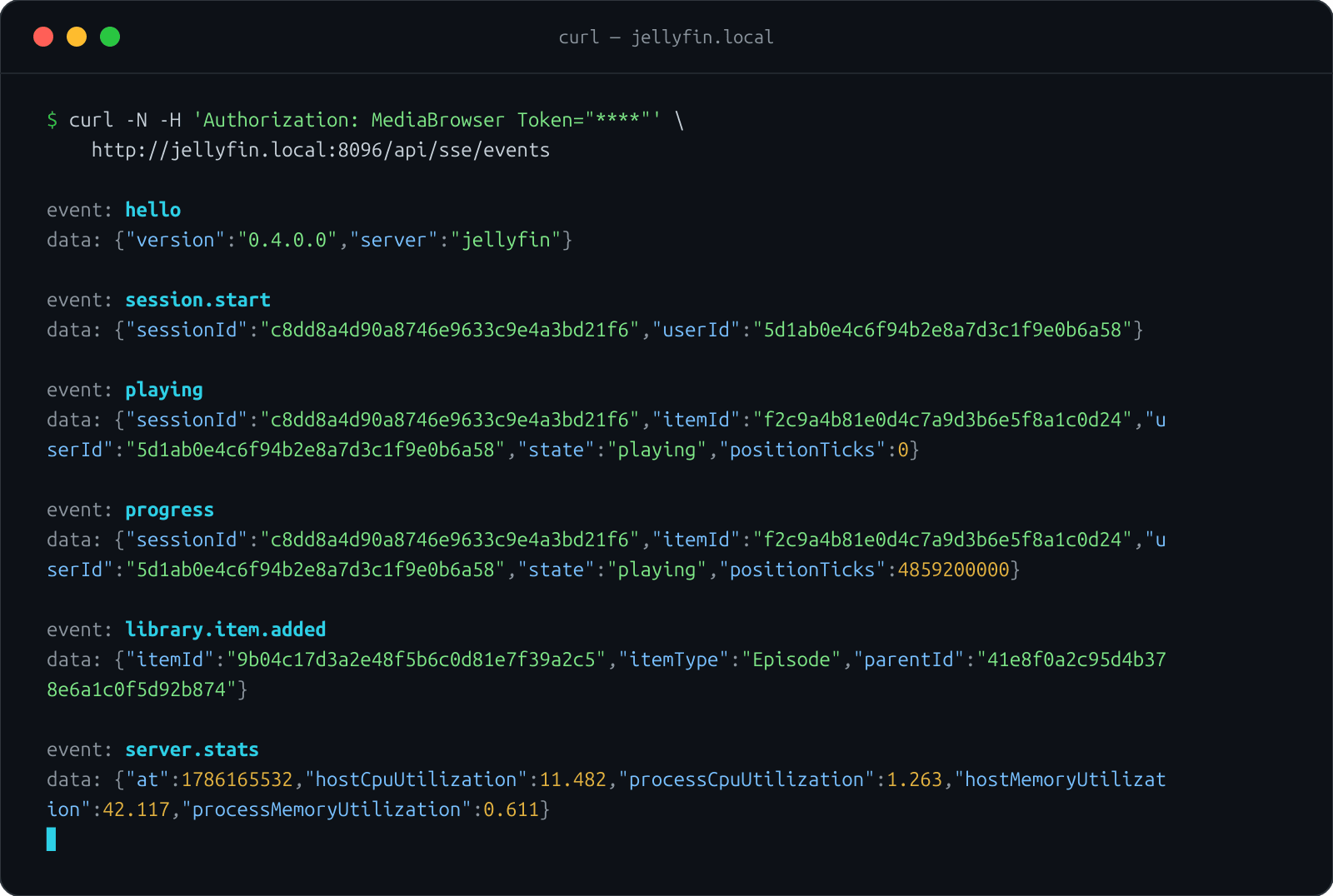
The endpoint is a standard SSE stream. Anything that can hold an HTTP connection open can consume it:
curl -N -H 'Authorization: MediaBrowser Token="YOUR_API_KEY"' \
  http://your-jellyfin:8096/api/sse/events
Scrobbling scripts, Home Assistant automations, dashboards, a curl in a terminal while you debug: the stream doesn’t care. See Consuming the Stream for browser, Node, and Python examples, and the Event Reference for every event and field.
Events at a Glance
| Category | Events |
|---|---|
| Playback | playing, progress, paused, stopped |
| Sessions | session.start, session.end |
| Library | library.item.added, library.item.removed |
| Scheduled tasks | task.started, task.progress, task.completed |
| Server | server.stats |
| Stream | hello (on connect), ping (keepalive every 30 seconds) |
Requirements
- Jellyfin 12.0 or newer, installed from the Tracearr plugin repository (0.4.1 is the last release for 10.11)
- Emby 4.9 or newer, installed from the Emby plugin catalog; no Emby Premiere needed
- One API key for each client that connects
The plugin is licensed GPL-3.0 and developed at github.com/Tracearr/Media-Server-SSE . Releases ship SHA-256 checksums and build attestations.