Installation
Jellyfin installs from the Tracearr plugin repository, which you add to the dashboard once. Emby lists the plugin in its built-in plugin catalog.
Using Tracearr? Settings → Servers → Set up real-time updates on a Jellyfin or Emby server card walks through these same steps with a copy button for the URL, and the card shows the live connection status once the plugin is running.
Jellyfin
Requires Jellyfin 12.0 or newer. Jellyfin 12 changed the plugin interfaces, so current builds don’t load on 10.11; the last release for 10.11 is 0.4.1.
Add the repository
In your Jellyfin dashboard, go to Plugins → Repositories and add a repository named Tracearr with this URL:
https://raw.githubusercontent.com/Tracearr/Media-Server-SSE/main/manifest.jsonInstall from the catalog
Open the Catalog tab and install Tracearr SSE.
Restart Jellyfin
Restart Jellyfin to load the plugin.
Plugin updates show up in the catalog like any other Jellyfin plugin.
If you’d rather not add a repository: download Tracearr.Sse.Jellyfin_<version>.zip from Releases and extract Jellyfin.Plugin.Sse.dll and MediaServer.Sse.Core.dll into plugins/Tracearr SSE/ inside your Jellyfin data directory, then restart.

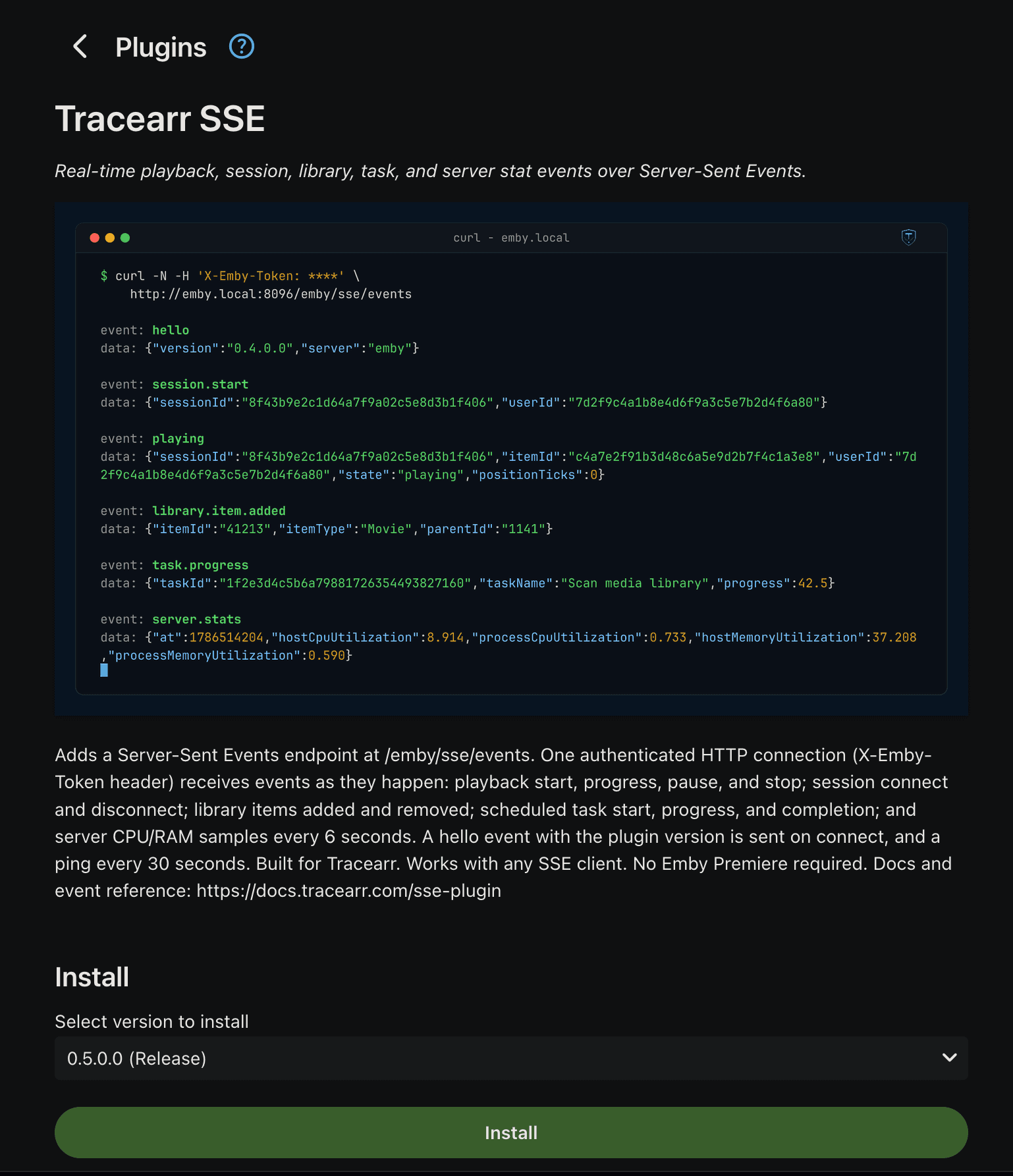
Verify It’s Working
Connect to the endpoint with curl. The plugin answers immediately with a hello event carrying its version:
Jellyfin
curl -N -H 'Authorization: MediaBrowser Token="YOUR_API_KEY"' \
http://your-jellyfin:8096/api/sse/eventsevent: hello
data: {"version":"0.4.0.0","server":"jellyfin"}Leave it running and start playback on any device; a playing event should arrive within a second. If nothing comes through, see Troubleshooting.
Verifying Release Files
Each release includes SHA-256 checksums and a GitHub build attestation:
sha256sum -c SHA256SUMS
gh attestation verify Tracearr.Sse.Jellyfin_<version>.zip --owner Tracearr
The attestation proves the zip was built by this repository’s CI from public source.